
Your whole prac, organised and evidenced.
Upload your university's handbook and forms, and the Prac Teacher Companion builds your requirements checklist and templates. Log days, lesson plans, reflections, observations and reports against the Graduate Standards, then export the PDFs your university asks for. It runs offline in your browser, and nothing is ever uploaded.
See the whole Companion in one minute.
From uploading your university's documents to the finished PDF, recorded in the Companion's demo account. No sound needed.
Prac is full-on. The paperwork shouldn't be.
Between planning, teaching and debriefs, you're also tracking days, chasing signatures, writing reflections and gathering evidence against 37 focus areas, all in your university's own format.
Forms in five places
The handbook PDF, emailed proformas, a placement portal, photos on your phone and a reflection doc you started in week one.
Requirements buried in a handbook
How many observations? When is the interim report due? It's on page 14 of a 40-page PDF. Somewhere.
Evidence you can't share
Great student work and classroom photos, but they've got names and faces on them.
There's a tidier way: one tab that reads your handbook, holds your whole placement and exports exactly what your university asks for.
Get the CompanionPaste your handbook. Watch the checklist build itself.
A cut-down version of the Companion's requirement finder, running right here in your browser. Use a sample, or paste a paragraph from your own placement handbook. Nothing leaves this page.
Your placement handbook
Your requirements checklist
Each one quotes the sentence it came from. Tap a button to log progress, the way you would during your placement.
- Choose Find my requirements to build your checklist.
Like the full Companion, it looks for patterns and can miss or misread things. Your university's official documents always take priority.
In the full Companion, progress ticks itself as you add days, plans, observations and reflections.
Get the CompanionFrom handbook to finished folio in four steps.
Clips from the Companion's demo account. Each step plays in turn, or tap one to jump to it.
Flip through a real placement folio.
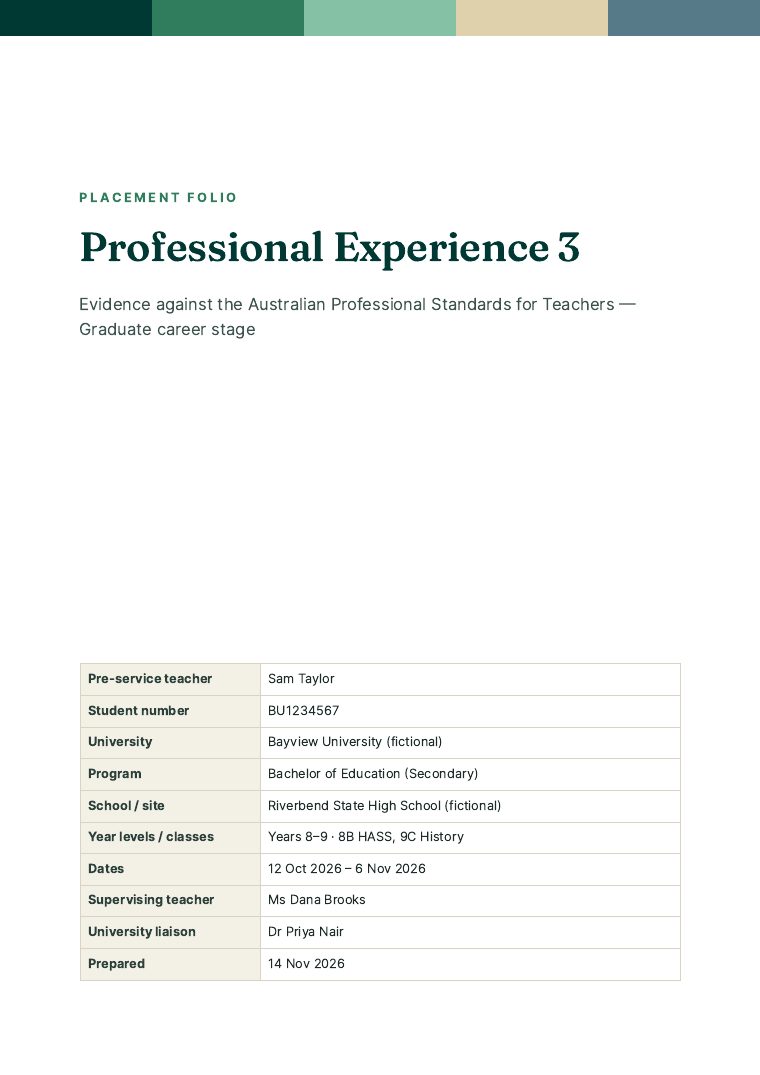
Actual pages from the demo account's whole-folio export. Attachments are embedded page by page, using your redacted versions, and exports carry only your content. Click a page, drag the slider or use your arrow keys to turn.
Everything your placement needs, in one tab.
Built around the APST Graduate Teacher Standards, and shaped by your own university's documents.
Reads your handbook so you don't have to
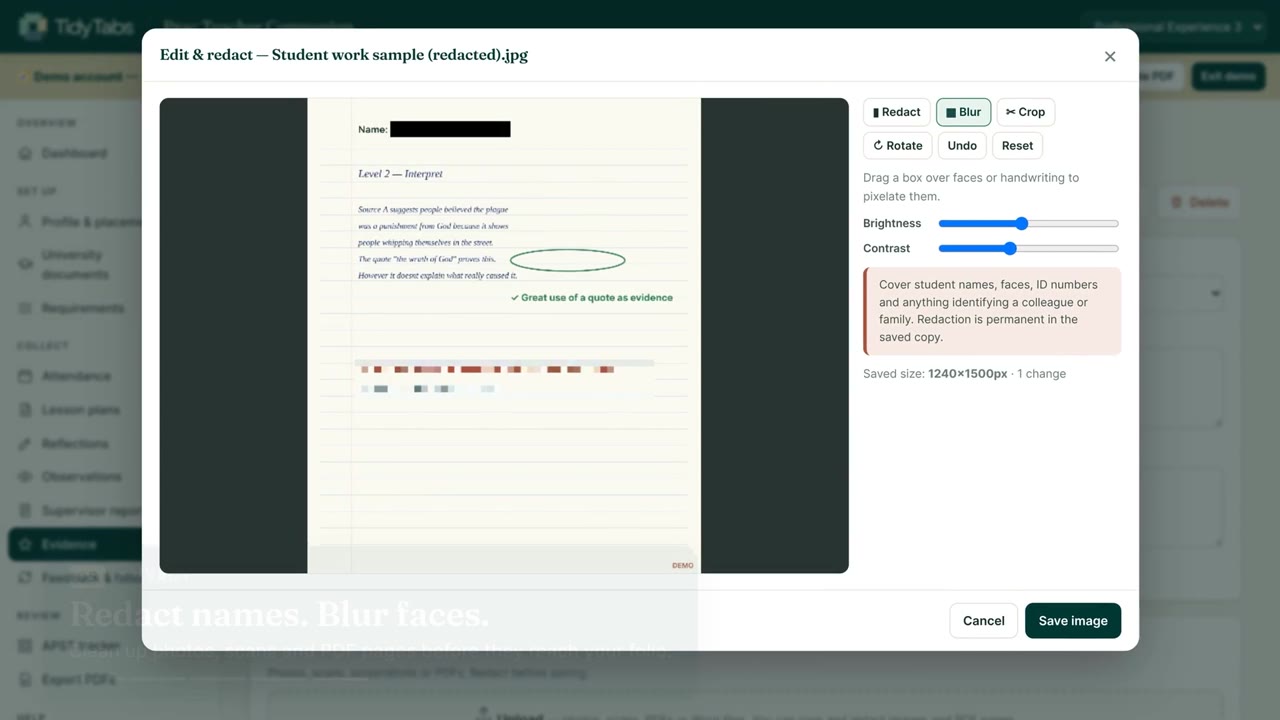
Requirements become a checklist that quotes the sentence each came from. Proformas become templates. Key dates, rating scales and the systems your university uses (e.g. InPlace, PebblePad) are picked up too.
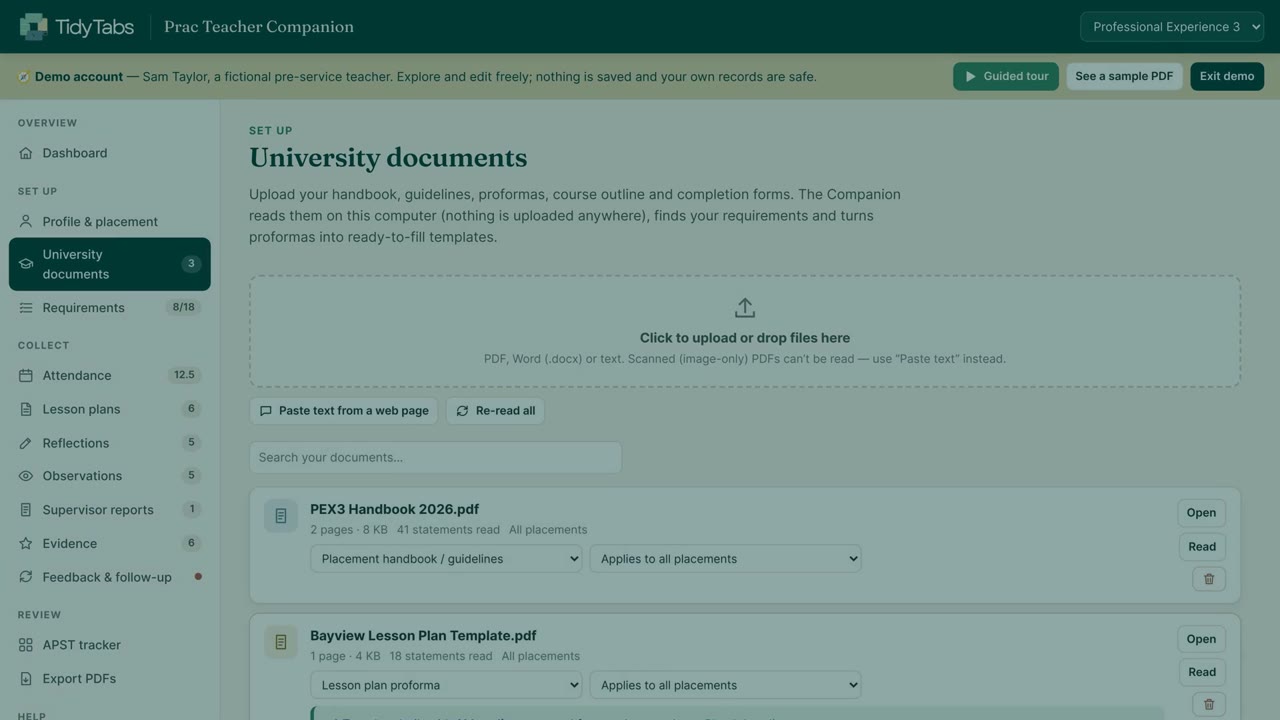
Black out names. Blur faces.
Redact, blur, crop, rotate and adjust any photo, scan or PDF page before it reaches your folio. Redaction is permanent in the saved copy, and exports use your edited versions.
Draft to Evaluated
Type into your university's template, upload a completed plan, or both. Track each one from Draft to Shared, Approved, Taught and Evaluated.
Your choice of model
What? So what? Now what?, the 5Rs, Gibbs' cycle, post-lesson evaluation, or your university's own proforma, with a live word count.
Feedback you can prove you acted on
Log feedback after each debrief and move actions from Open to Done. Export the board as a feedback and follow-up log.
The APST tracker
All 37 Graduate focus areas, coloured by how much of your evidence speaks to each one, with descriptors and evidence ideas for the gaps.
Learn it in three minutes
A complete demo account for a fictional pre-service teacher shows every feature before you start your own.
Your whole degree, one file
Add each placement across your degree, and move computers safely with one backup file that holds everything.
Your evidence never leaves your computer.
Student work, classroom photos and your supervisor's reports: the things you collect on placement are sensitive. The Companion is a single file that runs in your browser with every outgoing connection blocked, so nothing is ever uploaded.
What teachers say
Reviews come from verified buyers through our checkout provider, Payhip, and are shown word for word. Read every review
What you get
- The Prac Teacher CompanionOne file that opens in Chrome or Edge. Documents and requirements, attendance, lesson plans, reflections, observations, reports, evidence, feedback, the APST tracker and PDF export.
- A complete demo account + guided tourA fictional pre-service teacher partway through a placement, to explore and edit freely.
- 15-page illustrated user guideStep-by-step help, print settings, privacy tips and troubleshooting.
- Yours for your whole degreeA one-off purchase for every placement. No subscription and no account.
One-off payment in Australian dollars through Payhip's secure checkout. Your download link arrives by email straight away.
Each licence is for one pre-service teacher. Please don't share the file with classmates, or by email, USB, a network or cloud storage. Licence terms
Before you buy
Still unsure? These are the questions pre-service teachers ask most.
Will it work with my university?
Can I still use my university's forms?
Is anything uploaded?
Will it work on my iPad?
Does it write my lesson plans or reflections?
Does it guarantee a pass?
What files can I upload?
Can I buy copies for a cohort?
How do I get it after paying?
What if it doesn't work for me?
Walk into your next debrief organised.
Set up your placement tonight, and let the Companion keep track of the rest.